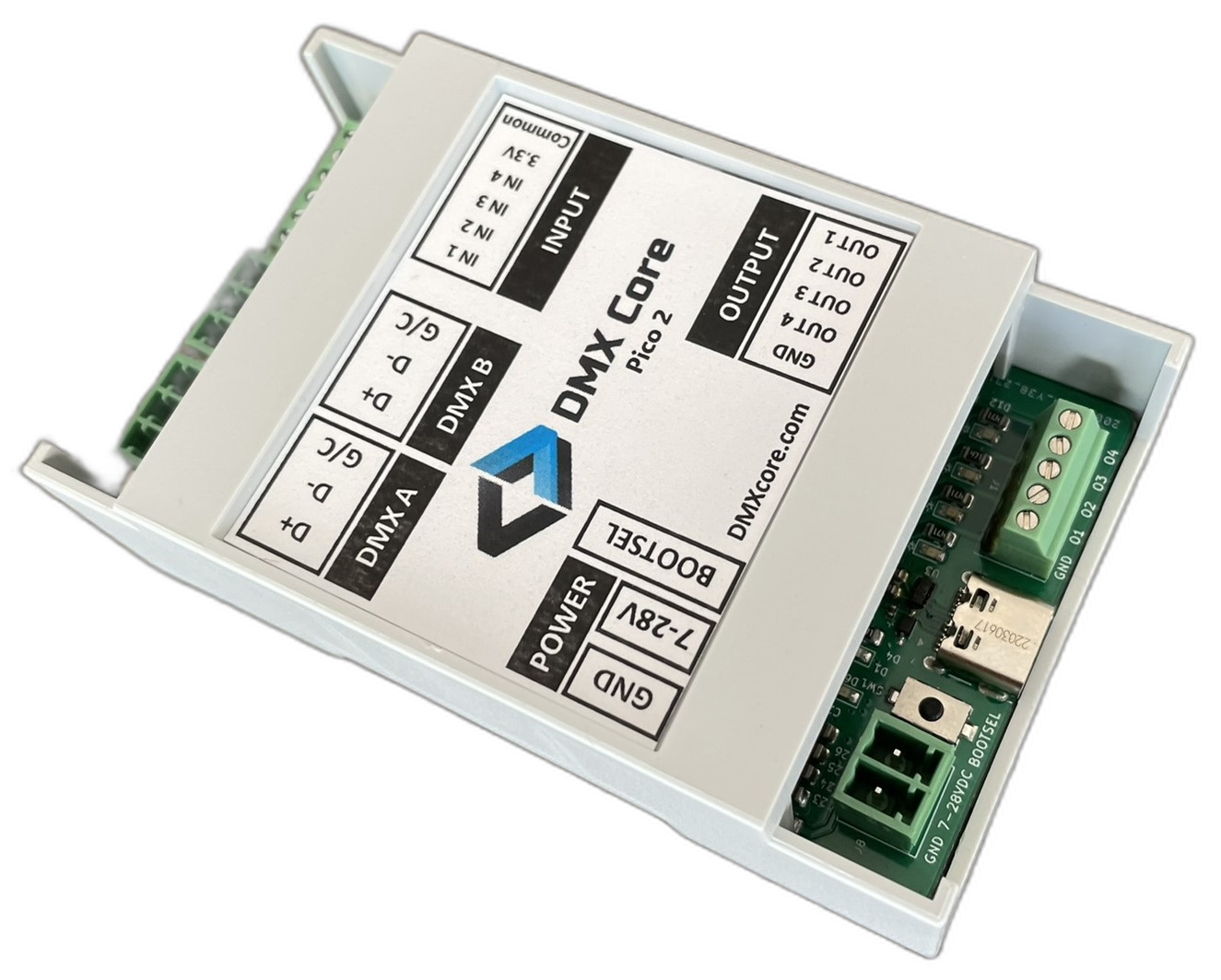
The DMX Core USB Interface turns DMX Core hardware into a USB DMX interface. Plug it into a computer and lighting software sees an Enttec DMX USB Pro-compatible interface, with isolated DMX512 ports and RDM, and you can watch its DMX and set up fixtures with RDM while your show runs.
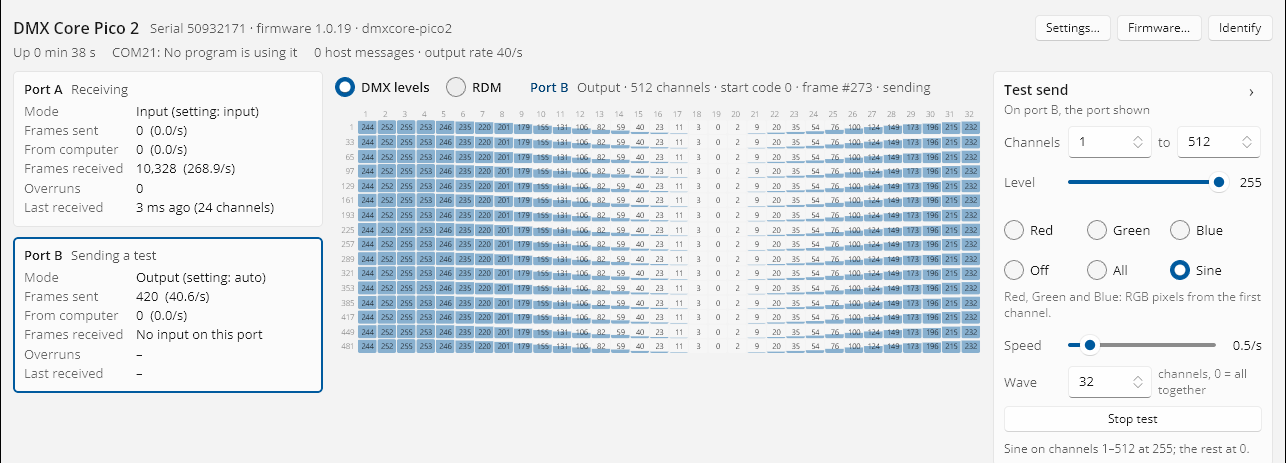
The DMX Core USB Interface Utility shows each port's status and live DMX levels while your lighting software has the interface open. The utility talks to the interface over a USB connection of its own, separate from the serial port your software uses, so there is no need to close your show to see what goes out or comes in.
Runs on Windows, macOS and Linux.
Some lighting software, such as Lightkey, drives only one port per interface. Turn on a serial port per DMX port and the DMX Core Pico 2 shows up as two separate interfaces, one per DMX port, so that software drives both ports, each from its own universe. Two programs can each drive a port, too.
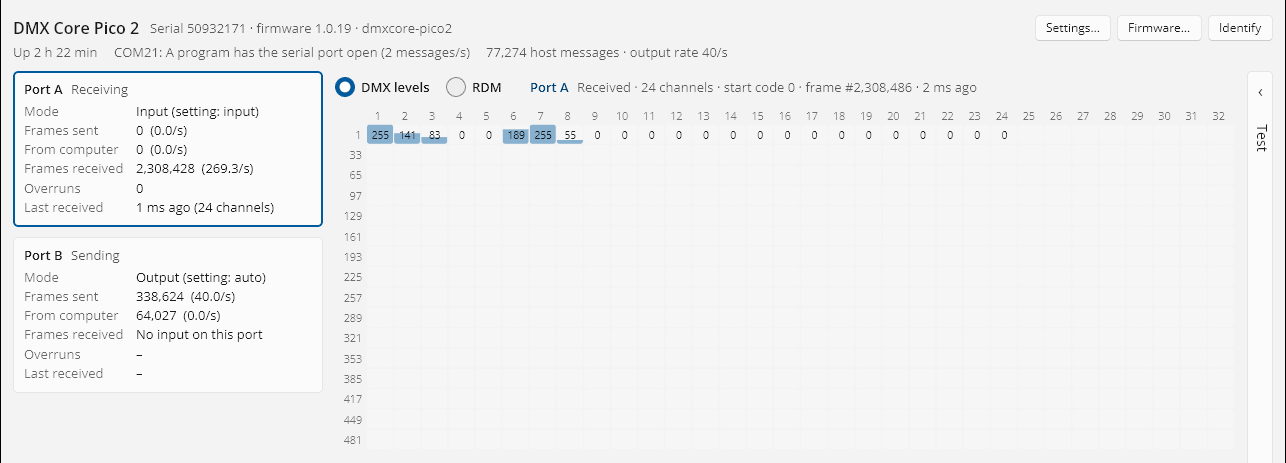
The USB Interface Utility showing live DMX on port A while another program has the serial port open.
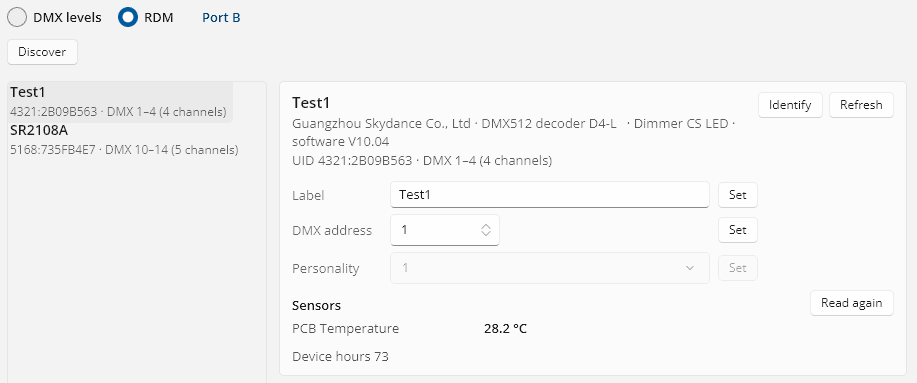
RDM in the USB Interface Utility works while your lighting software is running. Find the fixtures on a port, change a DMX address, label or personality, make a fixture identify itself, and read its sensors and status messages, all while the show keeps going.
No need to unpatch, close your software or reach for a separate RDM tool. DMX output keeps running between RDM requests.
Speaks the Enttec DMX USB Pro protocol, with extensions for a second port. Uses the standard USB serial driver on Windows, macOS and Linux: nothing to install.
The interface repeats the latest frame on its own at a steady rate, whatever the computer is doing. DMX input goes to the computer every frame or only on change.
Discovery, GET and SET, live while your show runs. Works with RDM-capable software such as OLA, and with the RDM tool in the USB Interface Utility. DMX keeps going between requests.
Port directions, frame rate, DMX timing, and what the outputs do when the software stops sending are kept on the interface, wherever you plug it in.
Two fully isolated DMX512 ports on Phoenix-style connectors. Output on both ports, input on port A, RDM on both. Turn on a serial port per DMX port and it shows up as two interfaces, so software that drives one port per interface can use both. Free for every DMX Core Pico 2 owner, including Re-Mapper owners. Switch back to the Re-Mapper or your own firmware at any time.
| Lightkey (macOS) | Tested. With a serial port per DMX port, drives both ports of a DMX Core Pico 2, for output or input. |
| FreeStyler (Windows) | Tested. With a serial port per DMX port, drives both ports of a DMX Core Pico 2. |
| Lightjams (Windows) | Tested, on one port at a time, A or B (Lightjams uses one USB interface). |
| OLA (Linux) | Tested, including RDM, after a small configuration change. |
| QLC+ | Not yet. We're working on getting support added to QLC+. |
Software that supports an Enttec DMX USB Pro or a DMXking ultraDMX through a serial port may work too, but has not been tested. Software that uses FTDI's D2XX driver does not see the interface. Lighting software guide ↗
A free app for Windows, macOS and Linux: port status and live DMX levels while your lighting software runs, test patterns, settings, RDM, and firmware updates without opening the case. It updates itself.
The DMX Core 100 is a complete DMX control platform with fixture management, effects, scheduling, and integrations.
Explore DMX Core 100Product names referenced on this page are trademarks of their respective owners. DMX Core is not affiliated with or endorsed by any of them; they are named here to show which hardware and software the USB Interface works with.