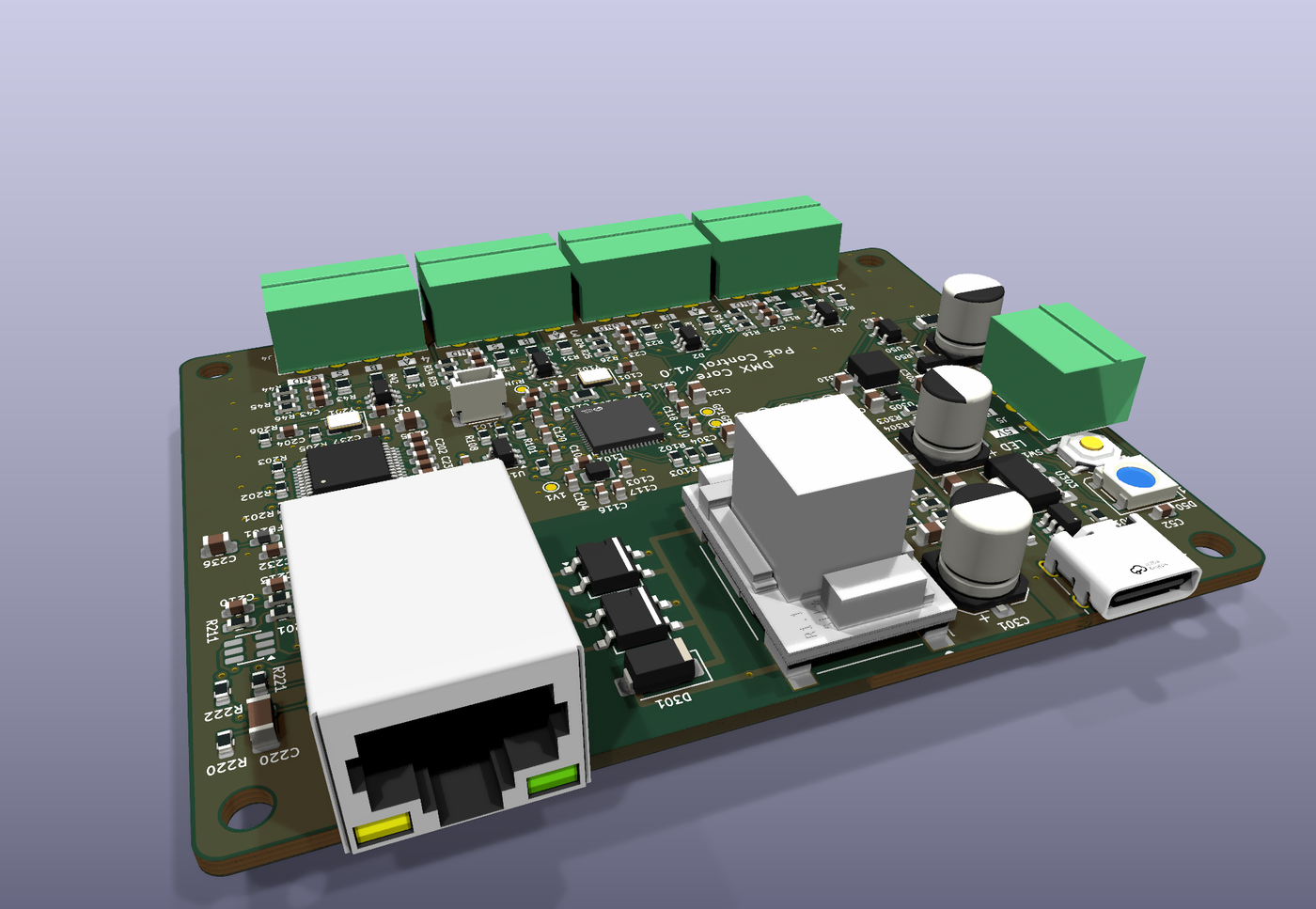
Rendered from the production board design. Ships in a wall-mountable enclosure.
A PoE-powered controller that turns rotary encoders and push buttons into levels, presets and cues on a DMX Core 100, or into fader moves, mutes and preset recalls on a Symetrix or Q-SYS DSP directly. Four control ports, no programming, no power supply. What each knob does is a setting, not a firmware change.
Rendered from the production board design. Ships in a wall-mountable enclosure.
The Core or the DSP owns the value. The knob only sends steps, so there is nothing to drift, nothing to re-sync and nothing to lose in a power cut.
One Cat5 cable from a PoE switch carries power and control. The unit takes an address over DHCP and finds your DMX Core 100 by name on the network, or connects to the DSP's IP address.
On a DMX Core 100, create a Control Value and point Drives at a master dimmer, a zone, a fixture channel or the audio volume. On a DSP, name the fader: a Symetrix controller number or a Q-SYS control name. Change it any time, no visit to the wall.
Connected over USB-C, the unit appears as a small drive with a config.txt. Type in the Core's name and the Control Value code, or the DSP's address and the fader, save, eject. No software to install.
The controller in its wall-mountable enclosure. Four control ports for encoders or buttons, a panel LED port, PoE or USB-C power, USB-C configuration drive with drag-and-drop firmware updates. Firmware for DMX Core 100, Symetrix and Q-SYS included; pluggable terminal plugs for every port too. Add a Rotary Encoder Kit per knob, or wire your own.
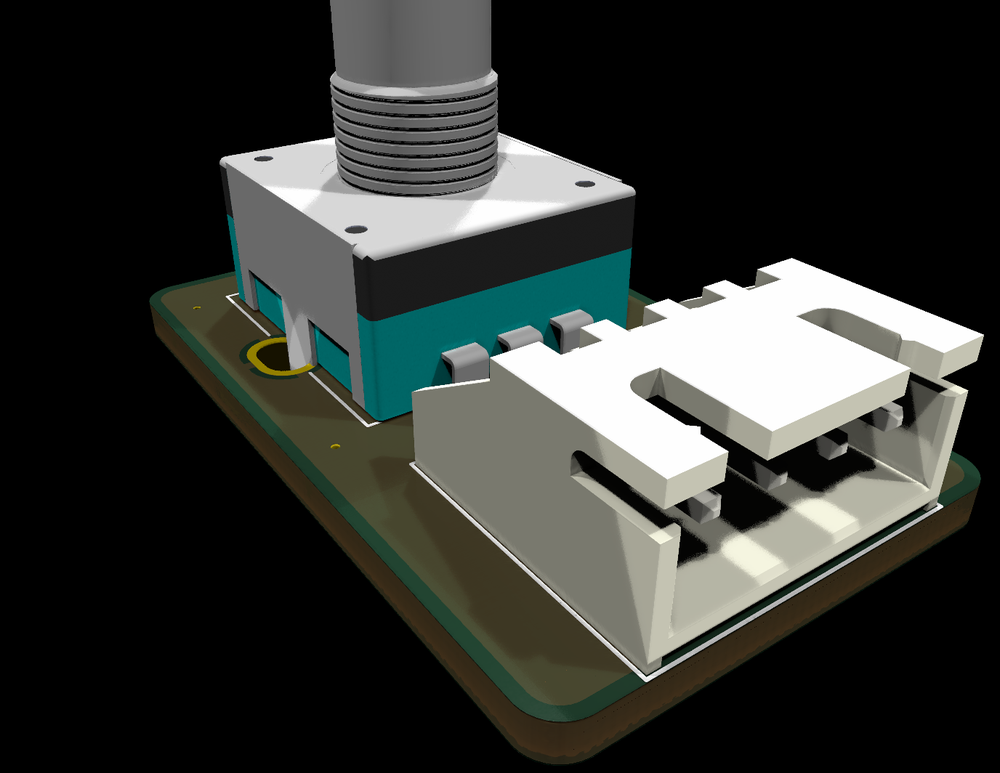
One knob, ready to mount: a Bourns encoder with push switch on a small panel board, an aluminium knob, and a 200 mm cable that plugs straight into a control port. Optional, for the DMX Core PoE Control. Any standard rotary encoder or push button works on the ports too.
All prices set out or referred to on this page are recommended prices only, and there is no obligation to comply with the recommendation.
| Network & Power | |
|---|---|
| Ethernet | 10/100 RJ45, PoE IEEE 802.3af (Class 0) |
| Power | PoE, or USB-C 5 V, or both at once. PoE has priority |
| Consumption | About 1 W, under 1.5 W with panel LEDs lit |
| Addressing | DHCP, or a fixed IP from config.txt |
| Discovery | Finds the DMX Core 100 by name (mDNS), or by IP address |
| Targets | DMX Core 100 (OSC over UDP, any OSC server too), Symetrix DSPs (Composer control protocol, TCP), Q-SYS Cores (External Control Protocol, TCP). One firmware image per target, chosen by which file you copy on |
| Knob actions | Step a Core Control Value; step or set a level on any OSC server; nudge a Symetrix controller or a Q-SYS named control by a set percent per click |
| Press and button actions | Core: any OSC address, one-shot or momentary. Symetrix: toggle, set, momentary, pulse, preset. Q-SYS: toggle, set, momentary, trigger, snapshot |
| Control Inputs | |
| Control ports | 4x pluggable 3.5 mm screw terminals (A, B, S, GND) |
| Per port | One rotary encoder with push switch, or up to 3 push buttons |
| Input protection | ESD clamp, series resistor and noise filter on every line; survives a wire brushed onto 12 V |
| Cable length | Up to about 10 m of ordinary multi-core cable per port |
| Panel LED port | 3.5 mm terminal (5V, DATA, GND) for up to 8 addressable RGB panel LEDs (WS2812) |
| Configuration | |
| USB-C | Appears as a drive with config.txt, status.txt and a list of Cores found on the network |
| Firmware updates | Copy the .uf2 onto the drive. Installs on trial and rolls back on its own if the new firmware does not start |
| Status | RGB status LED through the lid, plus a serial log over USB |
| Reliability | Hardware watchdog, crash recording, settings kept across updates |
| Physical | |
| Board | 85 x 66 mm, RP2350 MCU, W5500 Ethernet, isolated PoE module |
| Enclosure | Wall-mountable box with mounting ears, about 91 x 72 x 29 mm |
| Environment | Indoor, 0 to 40 °C |
| In the Box | |
| Included | Controller in enclosure, four control-port plugs, one LED-port plug |
| Not included | Knobs and buttons (see the Rotary Encoder Kit), PoE switch or injector |
Step the Core's audio output, or a fader on a Symetrix or Q-SYS DSP. Press the knob to mute. Everyone else sees the same level on the Faders page, or in the DSP's own software.
Master dimmer, a zone, or a single fixture's intensity or colour channel. A cue that moves the same target moves the knob's value with it, so it never springs back.
Three buttons per port, each sending its own OSC address. Play a cue, apply a preset, blackout, or hold a button down for a flash preset that drops when released.
A room with a DSP and no lighting controller gets a proper PoE wall knob for a fraction of the DSP maker's own panels. The Symetrix and Q-SYS firmware talk to the DSP over its control port: a fader nudge per click, mute on the push, presets and snapshots on buttons. No DMX Core 100 needed. And on the OSC firmware a knob can drive any other OSC server too, either stepping the server's own addresses or sending a level it keeps itself, for mixers, media players and lighting desks.
From the box to a working knob, and the settings file.
Ports, wiring, the encoder kit, updates and troubleshooting.
Any IEEE 802.3af or 802.3at PoE switch or injector powers it over the same Ethernet cable that carries control. Without PoE, a USB-C power supply works too.
Yes. Each control port is a pluggable screw terminal that takes any standard quadrature rotary encoder with or without a push switch, or up to three momentary push buttons. Nothing on the cable carries power, so the wiring is passive. The Rotary Encoder Kit is the ready-made option.
Four control ports. Each port is one rotary encoder with a push switch, or up to three push buttons, in any mix.
Yes. It talks OSC over UDP, which every DMX Core 100 has built in, whether it runs on the dedicated hardware or as software on Windows, macOS or Linux.
Yes. Load the Symetrix or Q-SYS firmware instead of the DMX Core one, give it the DSP's address, and each knob nudges a fader by controller number or control name over the DSP's own control protocol. Presses and buttons mute, toggle or recall presets. No DMX Core 100 in the picture.
Plug it into a computer over USB-C and it appears as a small drive with a config.txt file. Type in the name of your DMX Core 100 and the Control Value each knob should step, save, and eject. No software to install.
The DMX Core 100 is a complete DMX control platform with fixture management, effects, scheduling, and Symetrix and Q-SYS integration of its own.
Explore DMX Core 100