Program fixtures directly, record shows from external consoles, or automate everything with schedules and triggers. Run it as desktop software or on dedicated touchscreen hardware.
Choose the workflow that fits your project - or combine both.
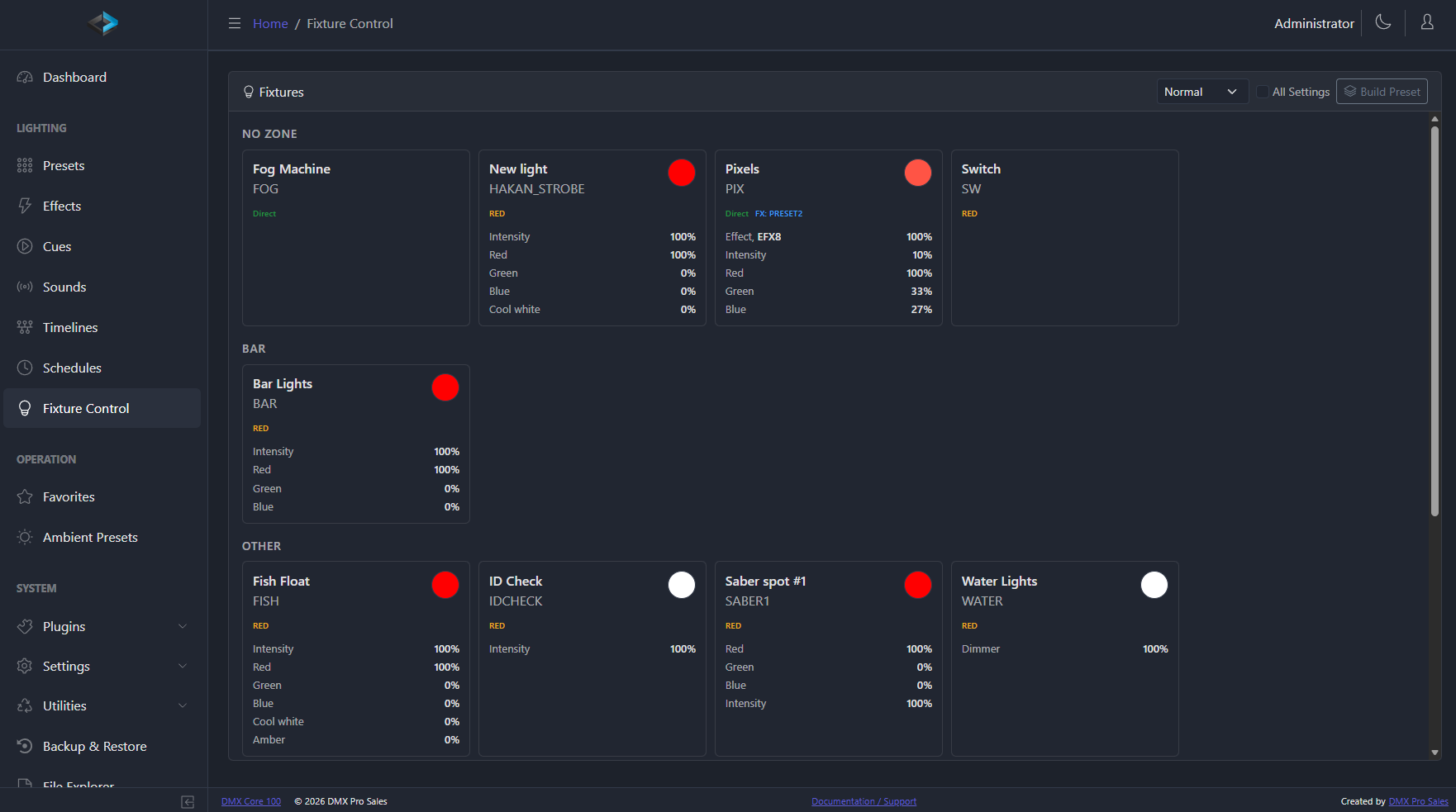
Import fixture profiles, assign DMX addresses, organize into zones, and control everything directly. Build reusable presets without any external software. This is DMX Core as your primary lighting controller.
Capture DMX data from external lighting consoles or software, save it as cues, then play it back on schedule or on demand. Ideal when a lighting designer programs the show and DMX Core handles the daily operation with standalone DMX record and playback.
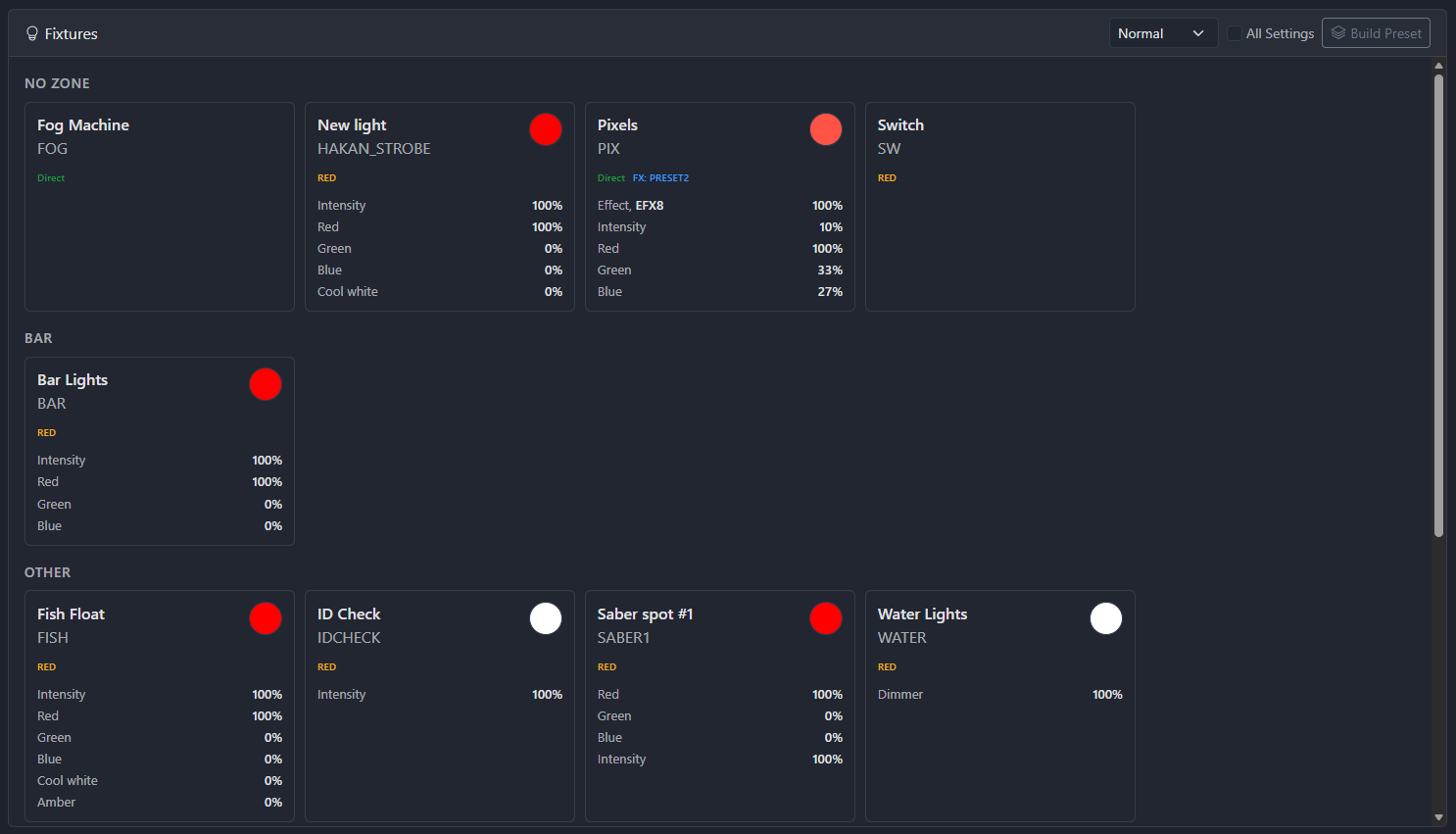
Configure fixtures, group them into zones, and control everything in real time from the Web UI or touchscreen.
Import profiles from Lightkey, Daslight, or GDTF files - or generate a profile straight from the fixture manual with an AI assistant. Configure DMX addresses, universes, and personalities. Multi-function fixtures are detected automatically - separate controls for dual color wheels, multiple gobos, and more. Export your fixture list to Excel for documentation.
Group fixtures by room, stage area, or type. Apply presets and effects per zone. Control zone levels via external faders. Perfect for multi-area venues like restaurants with separate dining, bar, and patio lighting.
Built-in effects including Breathing, Chaser, Crackling, Fire, Flickering, Full Sinus, Lightning, and Pulse - plus audio triggers that step effects such as chasers on the beat, from DMX Core's own playback or a USB sound card input. Each with configurable speed, intensity, and behavior. Effects run continuously without recorded cues and integrate directly with presets for scheduled or triggered activation.
DMX arriving on sACN, Art-Net, or a DMX-512 input port goes straight back out on every output mapped to the same slot - including Shelly, LIFX, WiZ, and Govee bulbs, which no console can address directly. Use it to convert protocols (sACN in, Art-Net, KiNet, TPM2.net, or DMX-512 out), or to leave a console live on a rig that DMX Core also runs cues and schedules on: the two merge by priority. Several input protocols route at once, so a console on sACN, another on Art-Net, and a DMX-512 input port can all be live together. A Live Sources table shows every sender on the wire, and outputs that would feed themselves are flagged instead of looping. Learn more →
Cues, presets, sounds, and timelines - combine them into precisely choreographed shows.
Recorded DMX sequences stored as PCAP files with automatic protocol conversion. Configurable fade in/out, looping (including infinite), dimmer control, and a Fade Mask Editor for selective channel fading. Playback Layers and merge modes control how concurrent cues combine. Channel rules cap, scale, or copy recorded channels on the fly - adapt a recorded show without re-recording. Clone cues for variations. Each cue gets a unique code for API and external triggering.
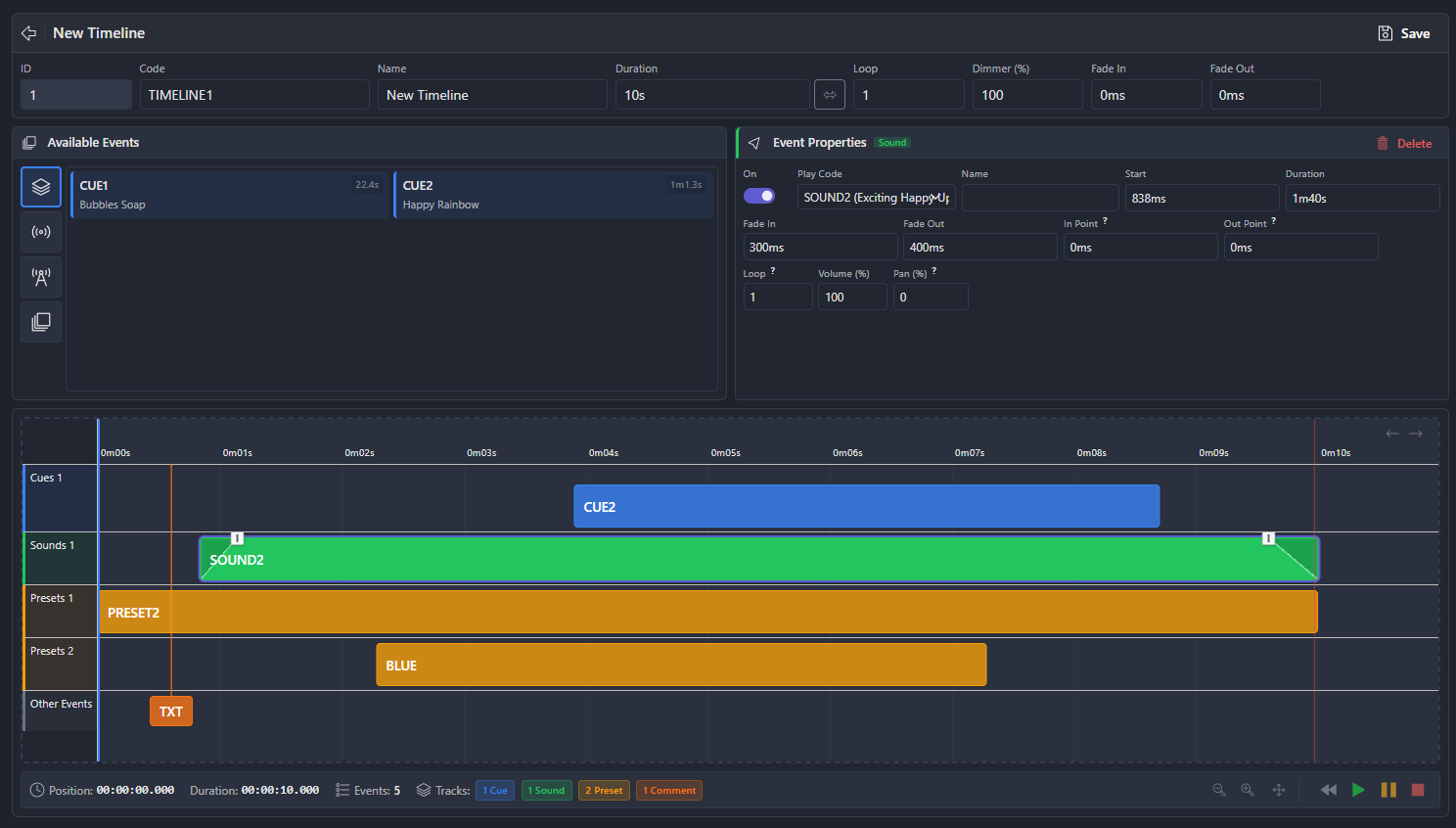
Visual Web UI editor to arrange cues, presets, and sounds on a timeline with precise timing. Audio waveform overlays and cue intensity profiles make alignment easy. Pause, resume, stop, seek, and scrub. Timecode chase locks a timeline to incoming Art-Net ArtTimeCode so Play joins the live clock - not t=0 - which is how a multi-unit site stays in sync, including after a restart. Hold milestones pause the timeline until a button release, trigger, or timeout - for interactive, operator-paced sequences. Configurable looping and priority settings. Trigger from the touchscreen, schedules, or external control.
Play WAV and FLAC audio in sync with lighting cues. Configurable volume, loop, and fade settings. Audio delay compensation for aligning speakers with fixtures. Plays out through the optional audio board or a USB sound card (both boards are audio output only).
Set it up once, let it run. DMX Core is designed for permanent installations that need to operate unattended. The permanent installation guide covers choosing a show controller, commissioning, reboot tests and venue handover.
Activate cues, presets, and timelines by time of day, day of week, specific dates - or relative to sunrise and sunset with an offset, based on your device location. Ideal for daypart transitions in restaurants, weekly services in churches, or dusk-to-dawn facade lighting.
React to external events in real time. Trigger actions from HTTP, TCP, UDP, OSC, MQTT messages, or DMX channel thresholds. Connect buttons, sensors, building automation, or custom applications.
When something happens in DMX Core, notify external systems. Publish MQTT messages, send HTTP requests, or fire UDP packets to coordinate lighting with other building systems.
Build custom touchscreen layouts for end users. Show only the buttons they need - no access to the full system. Menus can also be opened in the Web UI without logging in, so staff and guests can pick a scene from any phone or tablet - each menu has a direct link, perfect for printed QR codes and wall tablets.
When a single trigger action isn't enough, write it in JavaScript: play cues, apply presets, set fixture colors, publish OSC/MQTT, and keep state - with a built-in web editor. Run scripts from triggers, schedules, timelines, button presses, or device lifecycle events.
Set a persistent fallback scene that activates automatically whenever nothing else is playing - so the venue never goes dark between cues, schedules, and shows. Assignable from schedules and input triggers.
DMX Core connects to the systems you already use.
Control from TouchOSC or any OSC-capable device. Bidirectional communication.
IoT and building automation integration. Input triggers and output events via MQTT topics. Shelly, LIFX, WiZ, and Govee smart-lighting output.
The device shows up in Home Assistant automatically - scenes, dimmer sliders, switches, and sensors, ready for dashboards, automations, and voice assistants. Learn more →
Direct DSP integration for AV systems. Custom control pages with buttons and sliders linked to DSP control IDs. Control Values connect live DSP audio levels to faders, triggers, and timelines, and can drive a light directly so the wall knob and the lighting never fall out of step. See partners →
Integrations are plugins, installed and updated in one click from the device's built-in registry - no firmware update needed, and every first-party plugin ships with an automated test suite. Open .NET SDK: build your own and publish it for every DMX Core 100. Learn more →
Auto-discover Advatek PixLite® pixel controllers. One-click Art-Net/sACN output setup, plus live temperature, voltage, and per-output current monitoring. Learn more →
Connect MIDI controllers like the Akai LPD8 - over USB or the network (rtpMIDI, Network MIDI 2.0). Build OSC control surfaces with two-way feedback for apps like TouchOSC.
Supports Stream Deck MK2, Plus (LCD strip + dials with swipeable banks), and Dock. Trigger cues, presets, timelines. Toggle mode for on/off control.
Secure remote Web UI access from anywhere. No VPN or port forwarding. Auto-reconnect. 1 year included.
Manage your whole fleet from portal.dmxcore.com - monitor device health with email alerts, open the Web UI remotely, reboot or back up devices, and push software updates from anywhere.
Full HTTP/REST API for custom integration. API tokens for programmatic authentication.
Model Context Protocol endpoint for AI assistants. Activate playback, set levels, and drive fixture colors over the LAN with dedicated MCP API keys - no custom scripting required. Learn more →
A versioned HTTP and WebSocket contract for control systems - Bitfocus Companion, Crestron, Node-RED. List and execute cues, presets, zones, and Control Values, and get live state pushed back so buttons show what is actually playing. A Bitfocus Companion module from our partner Mandylights is coming soon. Learn more →
Wall-mounted 8-button keypad with LED indicators. Physical button control without needing screen access. Learn more ↗
Add physical push buttons, sensors, and relay outputs via MQTT. Trigger playback and presets from wired inputs, or drive indicator LEDs and relays from timelines and output events. Learn more ↗
Same software, multiple deployment options. Start with software and add dedicated hardware later, or go all-in from day one.
Windows, macOS, Linux
Windows, macOS, Linux
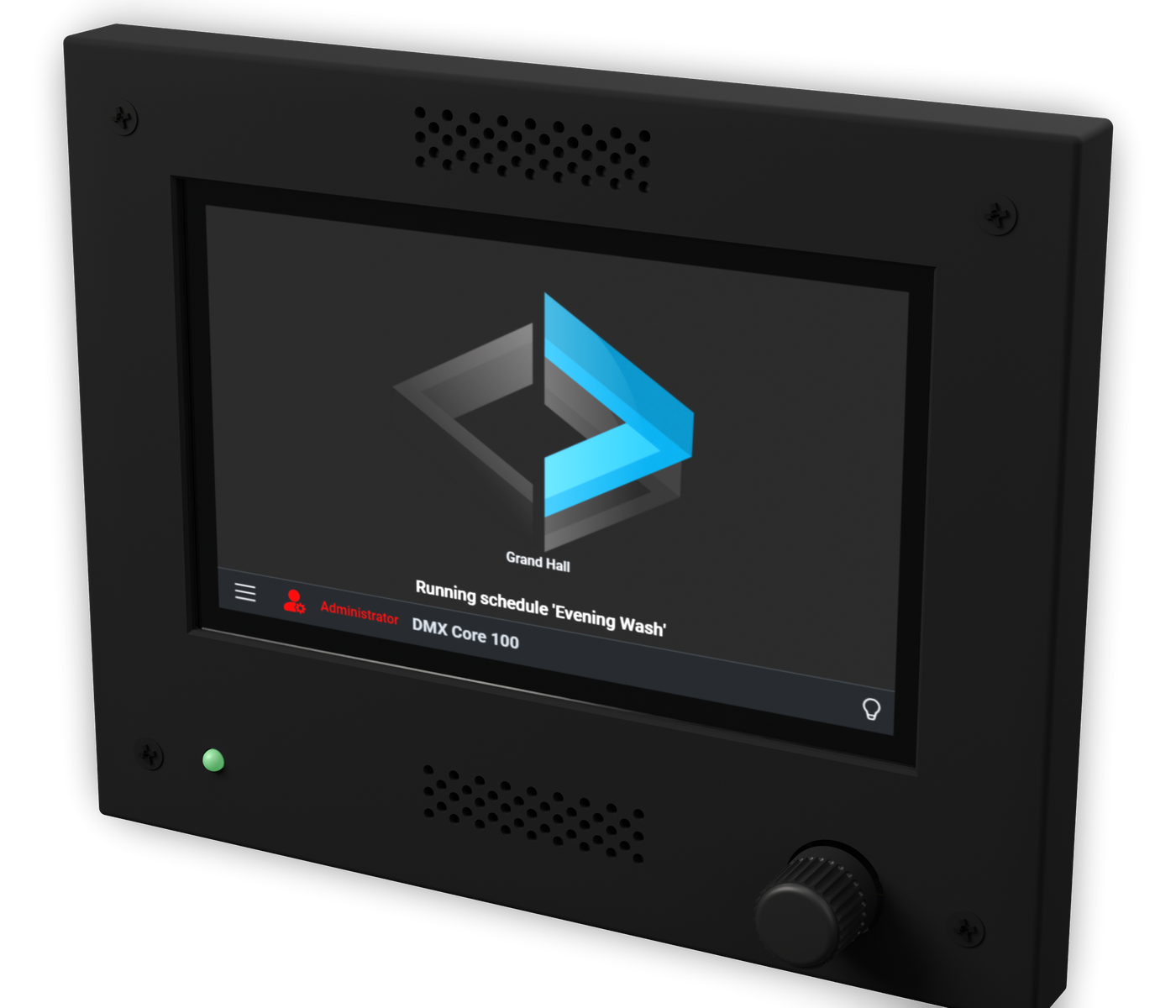
PoE or 8-28VDC. GbE Ethernet. MicroSD + USB-A. Rotary knob. Fits a 2-gang box.
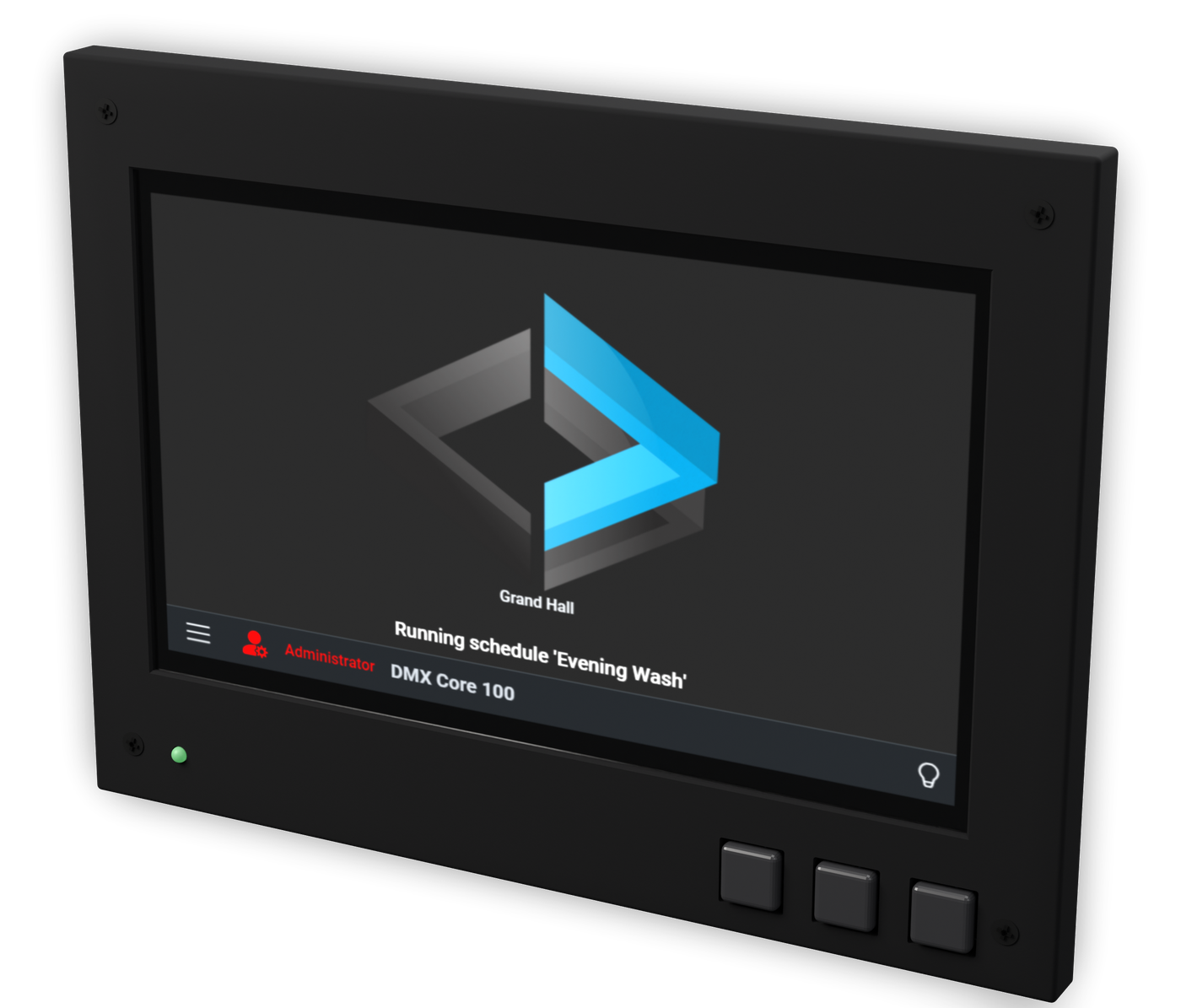
PoE or 8-28VDC. GbE Ethernet. MicroSD + USB-A. Three buttons. Desk stand or enclosure.
These are two sizes of the same controller, not two tiers. Same main board, same software, same screen resolution - the 7-inch simply shows it larger. Universe count, protocols, expansion boards, and every feature are identical. Pick on how you want to mount it: the 4.3-inch drops into a standard 2-gang electrical box, the 7-inch suits a desk stand, a 19-inch rack, or a custom enclosure. Off-screen menu navigation differs to match the form factor - a rotary knob on the 4.3-inch, left/select/right buttons on the 7-inch.
2-port isolated DMX-512 expansion. Enables passthrough.
Onboard audio output for synchronized sound.
Audio output + 2x DMX + digital inputs. All-in-one expansion.
3U/4U rack mount for standard 19" equipment racks.
3D-printed stand for desktop or equipment closet use.
With Neutrik Ethercon connector.
With Ethercon and Noctua cooling fan.
All prices set out or referred to on this page are recommended prices only, and there is no obligation to comply with the recommendation.
Try the Software Free Where to Buy
Ships worldwide from our online store, DMX Pro Sales. In Australia, New Zealand, the UK or Europe, order locally from our distributor Mandylights Equipment. Prefer a complete, installed system? Find an installer →
| DMX Output | |
|---|---|
| Universes | Up to 800 at 40 Hz (600 at 60 Hz) for network streams |
| Network Protocols | ArtNet, sACN (E1.31), KiNet v1/v2, TPM2.net |
| Direct DMX-512 | Via optional 2-port expansion board |
| USB DMX | Up to 4 universes via Enttec Pro / DMXking devices |
| Software | |
| Platforms | Windows, macOS, Linux |
| Web UI | Full browser-based control from any device on the network |
| Effects | Built-in (Breathing, Chaser, Crackling, Fire, Flickering, Full Sinus, Lightning, Pulse, and more) |
| Playback | Cues (PCAP format), Presets, Timelines (hold milestones, Art-Net timecode chase), Sounds (WAV/FLAC), channel rules (cap/scale/copy) |
| Recording Input | ArtNet, sACN, DMX-512, KiNet |
| Input Routing | Route received sACN, Art-Net, and DMX-512 - several protocols at once - to any output (including plugin outputs), merged by priority with local playback |
| Fixture Profiles | Lightkey, Daslight (SSL2), GDTF, or AI-generated from the fixture manual |
| Scripting | JavaScript automation with built-in web editor; runs from triggers, schedules, timelines, and lifecycle events |
| Monitoring | Output Monitor (live DMX channel view), RDM status over Art-Net, device electrical monitoring |
| User Management | Multi-user, role-based (24 permissions), PIN or password login, API tokens |
| Themes | Dark, Light, Auto |
| Integration | |
| Control Protocols | OSC, MQTT, HTTP/REST API, Integration API (HTTP + WebSocket), MCP, TCP, UDP, MIDI |
| DSP Integration | QSC Q-SYS, Symetrix |
| Plugins | One-click install and updates from the built-in registry; open .NET SDK |
| Control Surfaces | Elgato Stream Deck MK2/Plus/Dock, Key Digital WP8 keypad, OSC and network MIDI (rtpMIDI, Network MIDI 2.0) surfaces |
| Remote Access | Cloud tunnel (1 year included) - no VPN needed |
| Automation | Schedules (incl. sunrise/sunset with offset), input triggers, output events, JavaScript scripting, ambient presets, custom menus, favorites |
| Hardware (Dedicated Unit) | |
| Display | 4.3" or 7" touchscreen - same resolution on both |
| Menu navigation | Rotary knob (4.3") or left/select/right buttons (7"), in addition to the touchscreen |
| Power | PoE or 8-28VDC input |
| Connectivity | 1 GbE Ethernet, MicroSD, USB-A |
| Clock | RTC with battery backup + network time sync |
| Expansion | Dual DMX-512, audio output, or ADIO (audio output + 2x DMX + digital inputs) boards via piggyback connector |
| Mounting | 2-gang electrical box, 19" rack mount, desk stand, or custom enclosure |
| Included | 1 year cloud access + remote software upgrades |
DMX Core 100 runs as desktop software on Windows, macOS, and Linux. The same software is also available pre-installed on dedicated touchscreen hardware (4.3-inch and 7-inch models), so you can run it on a computer or as a standalone appliance.
It outputs ArtNet, sACN (E1.31), KiNet v1/v2, DMX-512, USB DMX, and TPM2.net. For control and integration it speaks OSC, MQTT, REST API, MCP, HTTP/TCP/UDP, MIDI, Q-SYS, Symetrix, and Stream Deck.
Yes. Stream routing sends DMX received on sACN, Art-Net, or a DMX-512 input port straight back out on every output mapped to the same slot, so a console can drive protocols and fixtures it cannot reach on its own - DMX-512, KiNet, TPM2.net, and smart bulbs such as Shelly, LIFX, WiZ, and Govee. Several consoles can be routed at once, each on its own protocol. The unit’s own cues, presets, and schedules keep running alongside and merge with the console by priority.
Up to 800 DMX universes, which is 409,600 channels. You can start small and scale up to large multi-universe installations without changing platforms.
Yes. DMX Core 100 has a full browser-based web UI that works from any device on the network. A built-in cloud tunnel also gives you secure remote access from anywhere, with no VPN or port forwarding required.
Yes. Beyond the desktop software, DMX Core 100 is available as dedicated touchscreen hardware that runs standalone, powered over PoE. It boots straight into the controller, so no separate PC is needed for permanent installations.
You can run it on a Pi - the Linux build supports the Raspberry Pi 4 and newer, and for a trial, a desk setup, or a temporary job that is a perfectly good choice. The appliance is for installations that have to keep running for years with nobody looking after them - and that has little to do with size: a two-universe install in a shop or restaurant is just as unattended as a large one. The software is identical; what you are paying for is everything around it:
In short: a Pi 4 is a great way to run DMX Core 100. The appliance is what you install when a single service visit would cost more than the hardware.
Yes. You can record shows from an external console, build sequences in the visual timeline editor, lock those timelines to Art-Net timecode, and synchronize audio with lighting cues. Cues and presets can be looped, faded, scrubbed, and triggered on demand.
Yes. Timecode chase listens for Art-Net ArtTimeCode and joins the live clock on Play - or automatically when valid timecode appears. After a restart the timeline re-locks at the current timecode instead of starting over. MIDI and LTC timecode are not supported in this release. See the timecode chase docs.
It integrates with Q-SYS and Symetrix for AV control, plus OSC, MQTT, REST API, the Integration API for Bitfocus Companion and Crestron, MCP, MIDI, and Stream Deck. Scheduling and triggers can fire from HTTP, OSC, MQTT, TCP, UDP, or DMX thresholds, and it can send output events to external systems.
Yes. DMX Core 100 has built-in JavaScript scripting with a web-based editor. Scripts can play cues, apply presets, set fixture colors, publish OSC and MQTT messages, and keep persistent state. They run from input triggers, schedules, timelines, button presses, or device lifecycle events - so logic like “full show after dark, subtle accent during the day” takes a few lines of code.
Software licenses start at $399 (Basic) and $599 (Full). Dedicated hardware is $999 for the 4.3-inch model and $1,099 for the 7-inch. These are two sizes of the same controller rather than two tiers - same board, same software, same screen resolution, so the price difference is the display, not the capability. You can start with a software license and move to hardware later, or the other way around.
Screen size, mounting, and the physical menu control - nothing else. Both models use the same main board and run the same software at the same screen resolution, so the interface is identical and everything is simply larger on the 7-inch. Both support up to 800 universes, the same protocols, the same expansion boards, and every feature of the platform. The 4.3-inch has a rotary knob for menu navigation and fits a standard 2-gang electrical box; the 7-inch has left, select, and right buttons and mounts in a desk stand, a 19-inch rack, or a custom enclosure. Choose on how large the display needs to be and how it will be mounted, not on capability.
Yes. You can download DMX Core 100 for Windows, macOS, or Linux and run it free in full-feature demo mode - no signup and no expiration. Buy a license when you are ready for production.
Technical comparison against CueServer, Enttec S-Play, Visual Productions CueCore, and more.