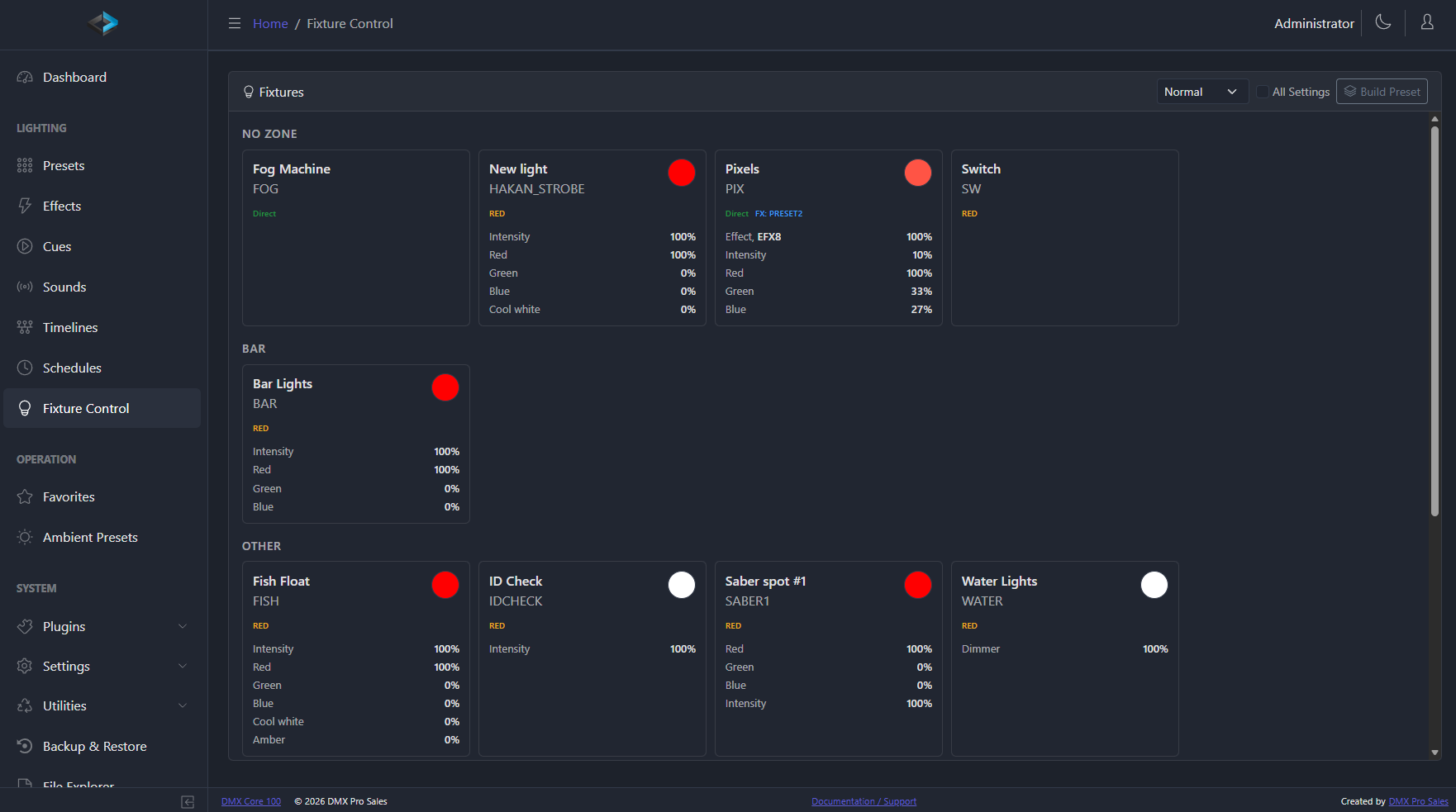
What is a DMX show controller in a permanent installation?
It is the device that runs the lighting after the designer has gone home. In a permanent install there is usually no operator and no console left in the building, so something has to hold the programming, start it on a schedule or a trigger, and keep running unattended for years. That is a different job from designing the show, which is done on a console or in show-authoring software. A show controller stores what was designed and executes it reliably.
How do I plan universes and network for a permanent install?
Count channels rather than fixtures, then add headroom. Work out the channel count per zone, divide into 512-channel universes, and allow room for fixtures the venue will add later. Decide the transport next: Art-Net or sACN over the building network for anything beyond a few universes, DMX-512 for short local runs to fixtures that have no network port. Put lighting on its own VLAN or its own physical switch where you can, and give the controller and every node a static address or a DHCP reservation so an outage does not reshuffle the install.
Does a DMX controller keep running after a power cut?
It should, and this is worth testing rather than assuming. On the DMX Core 100 appliance the software is the device - there is no desktop session for someone to log into after a reboot - and a real-time clock with battery backup plus network time sync means the unit knows the correct date and time when power returns, so schedules and sunrise/sunset events resume on the right day rather than restarting from zero. The honest advice for any controller, ours included, is to pull the plug during commissioning and watch what the room does when it comes back.
Can I record a show from an existing console and play it back unattended?
Yes, and this is the usual workflow on an install where a designer programs on a console the venue is not keeping. DMX Core 100 captures Art-Net, sACN, DMX-512 or KiNet at the protocol level and stores it protocol-neutrally, converting on output, so the show can be replayed over a different transport from the one it was recorded on. Recording is free and unrestricted in the demo, so you can capture on site before any licence is bought; a licence is needed to put playback into production.
What should I hand over to the venue at the end of the job?
A locked-down interface, an account per person who needs one, and documentation of the address plan. DMX Core 100 has 24 permission-based roles and installer-customisable menus, so the AV manager can have full access while front-of-house staff see one page with the three buttons they actually need. Hand over the universe and IP plan, the fixture patch, the schedule, and who to call - and leave yourself remote access if the venue wants you to keep supporting it.
Do I need dedicated hardware or will software on a PC do?
Both work, and the choice is usually about the building rather than the features. The software runs on Windows, macOS and Linux and is identical in capability, so a rack PC that is already specified and maintained is a legitimate answer. A dedicated appliance is the better answer when nobody will be maintaining a PC, when the room wants a touchscreen on the wall in a 2-gang box, or when a general-purpose computer with automatic updates and a login screen is a liability in a space that has to just work.
Why buy DMX Core 100 hardware instead of running the software on a Raspberry Pi 4?
You can run it on a Pi - the Linux build supports the Raspberry Pi 4 and newer, and for a trial, a desk setup, or a temporary job that is a perfectly good choice. The appliance is for installations that have to keep running for years with nobody looking after them - and that has little to do with size: a two-universe install in a shop or restaurant is just as unattended as a large one. The software is identical; what you are paying for is everything around it:
- eMMC, not an SD card. The operating system and your shows live on 32 GB of eMMC soldered to the board (a Raspberry Pi Compute Module 4 on our own carrier board). A Pi 4 normally boots from a microSD card in a friction-fit socket, which is the most common failure point in Pi-based installs. eMMC has proper wear-levelling and no contacts to work loose.
- Built for power cuts. The appliance runs balenaOS with a read-only root filesystem and show data on a separate partition, so cutting the power - which is how most venues switch things off - does not leave a half-written system that will not boot. A stock Raspberry Pi OS install writes to its root filesystem all the time.
- Safe, remote updates. A new software version downloads completely before the running one is replaced, so an interrupted update does not leave the unit broken. Updates can be pushed from the cloud portal to one unit or a whole fleet, and one year of cloud access is included.
- Knows the date without internet. A real-time clock with battery backup keeps schedules and sunrise/sunset times correct after a power cut on a site with no network time. The Pi 4 has no real-time clock.
- One cable for power. PoE or 8–28 VDC, 8 W maximum. A Pi 4 needs a 5 V/3 A USB-C supply or an add-on PoE HAT, and undervoltage is a classic cause of intermittent faults.
- Real I/O. Isolated DMX-512 ports, balanced audio outputs, and digital inputs on expansion boards that plug straight onto the unit. On a Pi, DMX-512 means a USB interface (up to 4 universes) and audio comes from the 3.5 mm jack.
- A front panel staff can use. Touchscreen plus a rotary knob or buttons, so someone on site can pick a look without a phone or laptop. It fits a 2-gang electrical box, a 19-inch rack, or a desk stand - no case, screen, HAT, and cables to source and assemble.
- Proven over years, not weeks. We have had test units running nonstop, 24/7, since 2023.
- A known platform, one vendor. Every unit has the same board, storage, and power, so what you tested in the office is what runs on site. On a Pi, behaviour depends on the SD card, cooling, power supply, and whatever else is installed - and when something goes wrong there is one company to call, not three.
In short: a Pi 4 is a great way to run DMX Core 100. The appliance is what you install when a single service visit would cost more than the hardware.
What should I look for in a DMX show controller for a permanent installation?
Five things that are easy to skip on a spec sheet. Independent zones so rooms do not share one state. A schedule that follows clock time and sunrise/sunset, and that still knows the date after a power cut. Reboot behaviour you have tested - the unit should come back into the right look without a login screen. A choice between dedicated hardware and identical software on Windows, macOS or Linux, because the building often picks for you. And a handover story: permission-based roles, a locked-down staff interface, and an address plan the next person can find. Universe count matters, but it is rarely what makes an install fail a year later.
Is the Enttec S-Play SP1-1 a good DMX show controller for a permanent install?
Yes, if the brief is a sealed hardware player, up to 32 universes, and nobody needs to run the same show as software on a PC first. The SP1-1 sits at the top of the S-Play range; the Nano at the cheap end is the better buy for a shop-window loop of one or two universes. DMX Core 100 is the comparison when you want identical software on Windows, macOS or Linux as well as a touchscreen appliance, independent zones and 24 permission-based roles, or more universes than 32. Feature-by-feature detail is on the Enttec S-Play alternative page.
When is DMX Core 100 the wrong choice for an installation?
When the whole job is one or two universes replaying a single look forever, a small dedicated player such as an Enttec S-Play Nano (the cheap end of the S-Play range; the SP1-1 sits at the top) or a DIN-rail player from DMX4ALL is cheaper and simpler - buy one of those. When you are scaling to landmark channel counts across a building facade, a Pharos LPC X or VLC is built for that and we are not. And DMX Core 100 is not a console: if you need to design and operate a theatrical production live, that is a job for a console or show-authoring software, and DMX Core sits downstream of it.
Does a permanent-install lighting controller record audio or lock to SMPTE timecode?
DMX Core 100 records lighting - Art-Net, sACN, DMX-512 or KiNet - not audio. You can attach WAV or FLAC files to cues and timelines so lighting and soundtrack stay locked on playback, but the capture itself is DMX only. For timecode it chases Art-Net ArtTimeCode on a timeline, including after a restart; it does not chase SMPTE or MIDI timecode (MTC) in this release. If the show must lock to an analog or MIDI clock, keep a device that does that in that role.