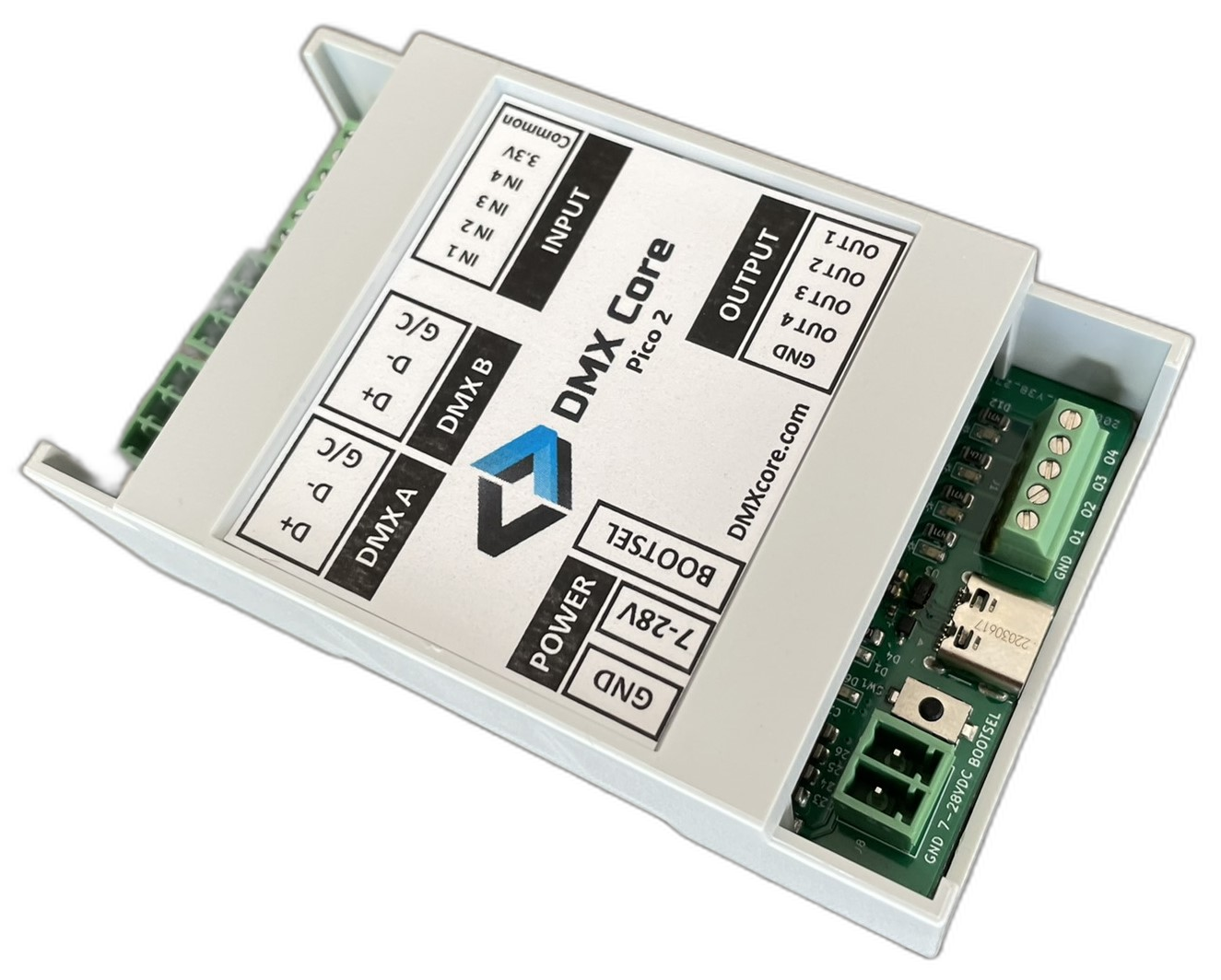
A Raspberry Pi Pico-based controller with two fully isolated DMX512 ports and digital I/O. Write your own firmware or use the pre-built Re-Mapper.
Bare board with dual isolated DMX512 ports. Program your own firmware in C/C++, MicroPython, or CircuitPython and deploy via UF2 over USB. Example code provided.
Same hardware with pre-loaded Re-Mapper software for DMX channel remapping. Ideal when you need to re-address fixtures but don't have access to the original programming.
All prices set out or referred to on this page are recommended prices only, and there is no obligation to comply with the recommendation.
| DMX | |
|---|---|
| DMX Ports | 2x fully isolated DMX512 (Phoenix-style connectors) |
| Port Config | Each independently configurable as input or output |
| Digital I/O | |
| Inputs | 4 digital input pins (3-24VDC) - pin out ↗ |
| Outputs | 4 digital output pins (sink up to 30VDC) |
| Power | |
| USB | USB-C (cable included) |
| DC Input | 7-28V via terminal connector |
| Consumption | ~30mA at 12V (under 1 watt) |
| Physical | |
| Platform | Raspberry Pi Pico |
| Mounting | Wall/surface mount or DIN rail |
| Programming | UF2 firmware via USB - software guide ↗ |
| Languages | C/C++, MicroPython, CircuitPython |
| In the Box | |
| Included | USB-A to USB-C cable, power connector, Phoenix DMX plugs |
Build your own DMX controller, merge/split tool, or sensor-driven lighting system. Full Pico programming ecosystem at your disposal. Software & examples →
Re-address DMX channels without access to the original console or software. The Re-Mapper variant handles this out of the box. Re-Mapper docs →
Dual isolated ports make it easy to test DMX setups, inject test patterns, or monitor traffic between a console and fixtures. FAQ →
Hardware, pin out, programming, and FAQ.
Firmware, config utility, and channel remapping.
The DMX Core 100 is a complete DMX control platform with fixture management, effects, scheduling, and integrations.
Explore DMX Core 100