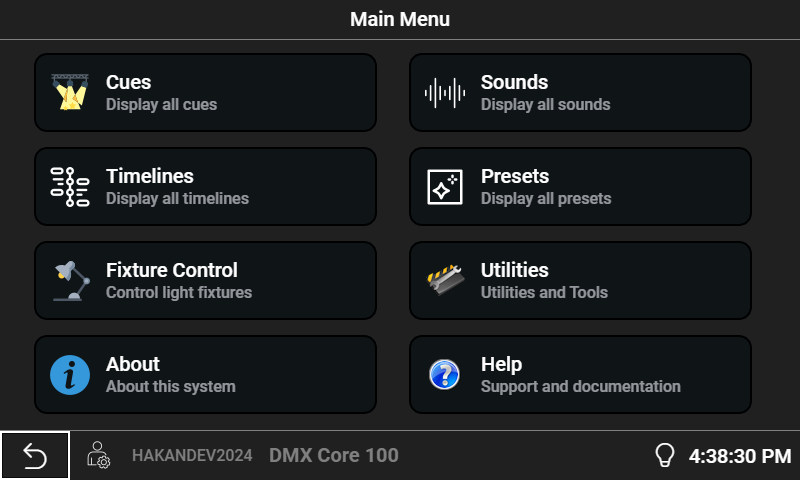
The full DMX Core 100 desktop software, free to try on Windows, macOS, and Linux. All features unlocked. Buy a license when you're ready to deploy.
Windows 10 or 11 (x64)
Download for Windows Installation guide ↗Apple Silicon (M1 or later) & Intel
Download — Apple Silicon (M1 or later) Using an older Intel Mac? Download the Intel version Installation guide ↗Ubuntu, Debian, Fedora, & more
Get from Snap Store Installation guide ↗sudo snap install dmxcore100
New to DMX Core? Follow the Getting Started guide ↗ to set up your first show.
Device installed on a network without internet? The free DMX Core Connect companion app temporarily routes the device's internet access through a computer on the same network, so you can install updates. Download ↗ · How it works ↗
The same software you'd run in production — no feature gates, no time limit, no signup.
Up to 800 universes, ArtNet, sACN, KiNet, OSC, MQTT, REST API, scheduling, timeline editor, recording, JavaScript scripting, custom menus — all of it. Connect to real fixtures and build full shows.
In demo mode, DMX output briefly stops for 1 minute every 16 minutes. Everything else keeps running — perfect for evaluation, prototyping, training, and offline programming.
Click download, install, run. We don't ask for an email address, and the demo never expires. Try it as long as you need before buying a license.
Once you've validated DMX Core in your environment, a single license activates the same install for permanent, uninterrupted output. Licenses are tied to the machine they're activated on.
Up to 8 universes. Everything you need for smaller installations.
Up to 800 universes. For larger venues and multi-area deployments.
DMX Core 100 also ships as a touchscreen appliance — no PC required. Same software, same features, in a 4.3" or 7" PoE-powered unit.